

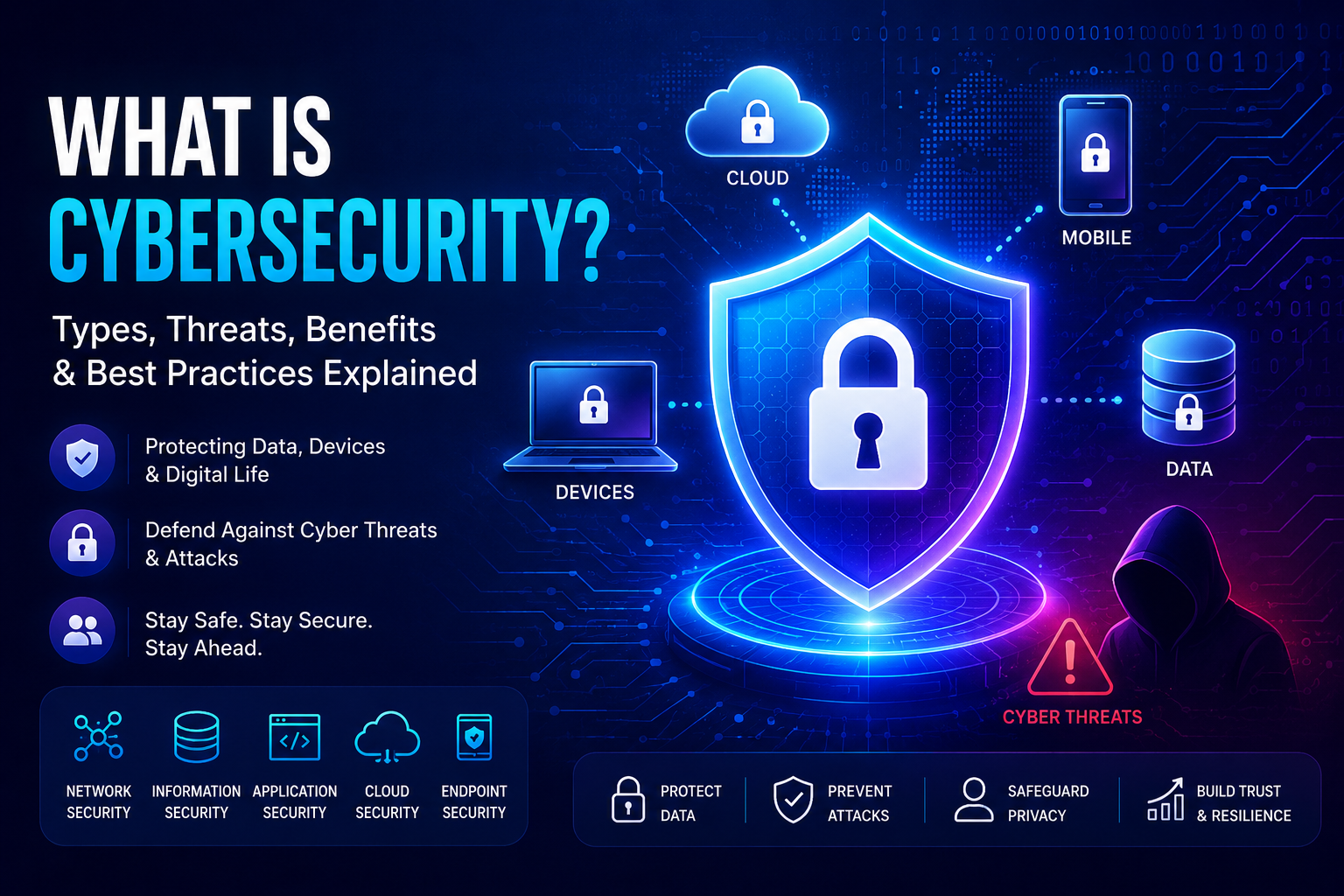
Cybersecurity is the practice of protecting ai agents, computers, networks, applications, endpoint devices, cloud services, mobile devices, and digital data from cyberattacks, unauthorized access, theft, tampering and damage.
The word “Cyber” in “Cybersecurity,” refers to anything related to computers, networks, digital information, and “security” refers to protecting these assets that exist in the cyber space. That’s how the term “cybersecurity” came into existence and
Why is Cybersecurity so important?
According to Cybersecurity Ventures, global cybercrime is projected to cost the world US$10.5 trillion annually by 2025.. With the advent of AI, this number is likely to increase rapidly. That situation gives us two options: either we learn cybersecurity and stop these attacks on our cyber infrastructure, or attackers use AI to exploit our systems and demand bigger ransoms. Because of ever-increasing cyberattack costs, the need for cybersecurity engineers is rising day by day. (Source: Cybersecurity Ventures)
Today, a large portion of personal and business information is stored digitally on computers, cloud platforms, mobile devices, and online services. Cybersecurity is all about keeping your personal information and devices safe from people who shouldn’t have access to them.
History and early examples
Cybersecurity began in the late 1960s and early 1970s with the creation of ARPANET, the precursor to the modern internet. As connected systems grew, people recognized the need to protect them.
One important early moment was in 1971 with the creation of the Creeper worm, an experimental program that moved between computers. Soon after, the Reaper program was invented to hunt down and remove Creeper — an early example of antivirus-like behavior.
Types of cybersecurity
We can use cybersecurity in many ways. Following are some of the prominent types:
Network Security
- Network security is like the fence around your yard, making sure only authorized traffic gets through.
Information Security
- Information security is like keeping your private diary locked away, so only the right people can read it.
Application Security
- Application security is about making sure the tools and programs you use on your computer are safe and don’t have hidden weaknesses.
Cloud Security
- Cloud Security is about security workloads, resources, data hosted in cloud environments like AWS, GCP, Azure, Alibaba etc.
Endpoint Security
- Endpoint Security refers to the protection of endpoint devices like desktops, laptops, server, POS terminals, company issues mobiles etc.
Mobile Security
- Mobile Security refers to the protection of data, applications that reside on the company issued or personal mobiles.
IoT Security
- IoT Security refers to the protection of smart TVs, smart refrigerators, smart home systems that are connected to the internet.
AI Security
- AI Security refers to the protection of LLM/models, Agentic systems, frontend, backend, MCP servers within the AI systems.
Practical examples
Business Example
- For online businesses, using secure payment gateways to process customer transactions protects sensitive financial information and builds trust with customers, ensuring their data isn’t stolen. Regularly backing up important company data also reduces the risk from ransomware.
Personal Example
- In daily life, using strong, unique passwords for all online accounts (email, social media) and enabling two-factor authentication adds an extra layer of security. Even if someone gets your password, two-factor authentication can prevent unauthorized access.
Why cybersecurity is helpful
It protects your most valuable digital assets.
For Individuals
- For individuals, it prevents personal information theft, identity theft, and financial fraud. It also stops malicious software from locking files or damaging your devices.
For Businesses
- For businesses, it keeps sensitive data secure, ensures websites and services stay running, and protects reputation by preventing data breaches.
Common cyberattacks affecting people and organizations
Phishing & Social Engineering
- Attackers mislead you by pretending to be trustworthy and steal credentials or sensitive data.
Ransomware
- Malicious software that encrypts files or locks devices, then demands payment to restore access.
Malware
- Software created to steal or damage information; includes viruses, spyware, trojans, and ransomware.
Credential Theft & Abuse
- Attackers steal login details and use them for unauthorized access.
DDoS (Distributed Denial-of-Service)
- Many systems flood a target with traffic, causing service outages.
Tech trends driving cyberthreats
AI-driven attacks
- Criminals use AI to automate attacks and create convincing social-engineering content and deepfakes.
Supply-chain attacks
- Adversaries target smaller vendors or partners to reach larger organizations.
Cloud misconfiguration
- As businesses expand cloud usage, misconfigurations expose data and services.
Human-centered attacks
- Phishing and social engineering continue to be effective because they exploit user behavior.
Common myths about cybersecurity
Myth 1: “I’m too unimportant to be hacked.”
- Criminals often target anyone they can, using compromised systems for larger crimes.
Myth 2: “Macs don’t get viruses.”
- Macs have protections but can still be infected or phished.
Myth 3: “Strong passwords are enough.”
- Reusing passwords or being part of data breaches makes passwords insufficient; use unique passwords and multifactor authentication.
Myth 4: “Free antivirus is always enough.”
- Free tools provide baseline protection; paid options may offer advanced features and real-time monitoring.
Useful resources
What to do now
- Use unique, strong passwords for every account, and store them in a reputable password manager (change any reused passwords now).
- Enable multi-factor authentication (MFA) everywhere it’s offered, preferring authenticator apps or hardware keys over SMS.
- Keep devices and software updated: enable automatic updates for your OS, browsers, and important apps.
- Back up important data regularly: use a 3-2-1 approach (3 copies, 2 different media, 1 offsite or cloud).
- Verify links and senders before clicking: when in doubt, contact the sender via a known channel rather than replying to the message.
- Scan for malware and remove unknown apps: run a reputable antivirus/anti-malware scan on devices showing unusual behavior.
- Secure your home network: change default router passwords, enable WPA3/WPA2 encryption, and apply firmware updates.
- Limit access and privileges: use least-privilege accounts for daily work and separate personal from administrative accounts.
- Monitor accounts and logs: check banking, email, and cloud account activity regularly and enable alerts for suspicious activity.
- Plan for incidents: create a simple response plan (who to contact, where backups are stored, how to isolate affected devices) and test it periodically.
This post is part of the Cybersecurity Fundamentals series. Next up: the SolarWinds hack — another security attack, but one that operated at an entirely different level of sophistication and patience. For live CVEs affecting Java frameworks and logging libraries, check the CVE Tracker.
Raghu the Security Expert has 20 years of experience in Security, DevSecOps, AI Security, and Penetration Testing. He has helped 80,000+ students upskill themselves in DevSecOps, Application Security, and AI Security. Follow his work on LinkedIn, YouTube, and Udemy.
Cybersecurity is a set of practices and technologies aimed at protecting systems, networks, data, and digital devices from cyberattacks and unauthorized access, thereby ensuring the confidentiality, integrity, and availability of information.
Departement of Sharia
https://www.univ-msila.dz/site/shs/
Cybersecurity is a set of technologies and practices aimed at protecting systems, networks, and digital data from cyberattacks and unauthorized access
Departement of Sharia
https://www.univ-msila.dz/site/shs/